Learn what ED5 MMO Studio is and how it works.
Welcome to ED5 MMO Studio
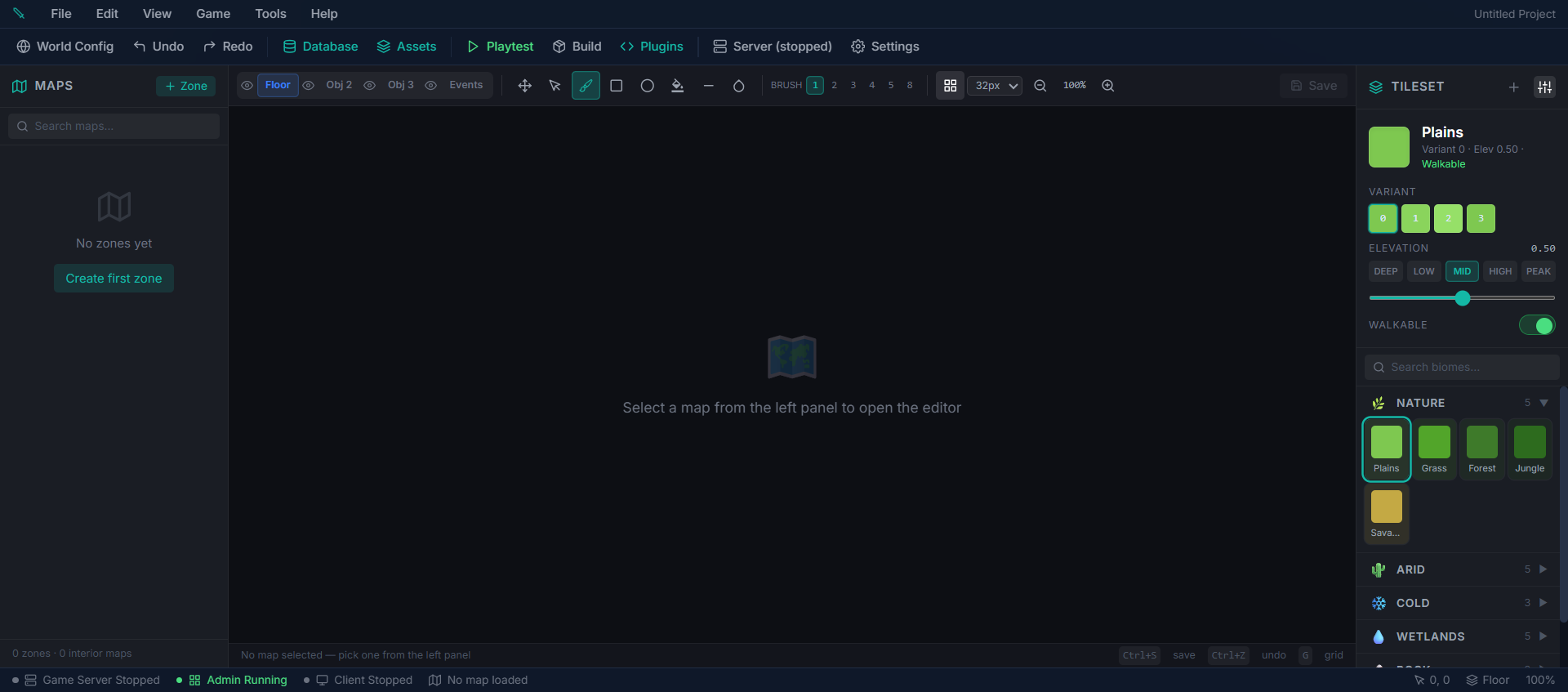
ED5 MMO Studio is a desktop application that lets you create a fully playable isometric MMORPG — no programming required. Design your game world, create items, build quests, tweak combat, and launch your MMO, all from one app.
What's Included
- Visual world editor — paint terrain, place objects, and build maps with an intuitive brush toolkit
- 41 built-in game systems — combat, crafting, pets, mounts, housing, guilds, PvP, quests, farming, market, mail, skills, survival, achievements, world events, and more
- Isometric game client — your players connect via browser to explore a rich 2D world with dynamic lighting, weather, and day/night cycles
- Procedural world generation — generate entire continents with 15 biomes, resource nodes, and terrain variation at the click of a button
- Complete content editors — items, mobs, NPCs, abilities, quests, skills, status effects, achievements, and more
- Event & cutscene system — build dialogue trees, branching stories, and scripted sequences without writing code
- RPG Maker MZ import — bring in your existing items, enemies, maps, and events
- Plugin system — for developers who want to extend the engine with custom features
- Full source code, no royalties — you own everything you make
How It All Works
1. You design your game in Studio's visual editors — map editor, item editor, quest editor, NPC editor, and more 2. The built-in game server handles everything — all game logic runs on the server, so cheating is prevented and everything stays in sync 3. Players connect via browser — they see a beautiful isometric world and interact using click-to-move, action bars, quest logs, and chat 4. Everything runs in real-time — 20 updates per second keep combat, movement, crafting, and world events smooth
System Requirements
| Component | Minimum | Recommended |
|---|---|---|
| OS | Windows 10 / macOS 12 / Ubuntu 20.04 | Windows 11 / macOS 14 / Ubuntu 22.04 |
| RAM | 8 GB | 16 GB |
| CPU | 4 cores | 8 cores |
| Storage | 2 GB free | 10 GB free (SSD) |
Next Steps
Continue to Installation & Setup to download and launch the Studio app.